
AI BPMN diagram generator
BPMN Studio is an AI BPMN diagram generator: describe a business process in plain English, answer a few clarifying questions, and get a valid BPMN 2.0 diagram on an editable bpmn-js canvas. Export SVG, PNG, PDF or BPMN 2.0 XML for Camunda and Flowable, free on every plan. Every new account starts with 7 days of Pro, no card needed.
How it works
Three steps from a description to a diagram you can hand to a developer or an execution engine.
Describe the process
Type what happens in plain English, or paste existing notes. The wizard asks what a business analyst would: what starts the process, who is involved, where decisions are made and what happens when something fails.
Generate the diagram
The conversation goes to the generation model with a strict BPMN 2.0 ruleset. It returns BPMN 2.0 XML, which is auto-laid-out left to right with one lane per participant.
Edit and export
The diagram opens on an interactive bpmn-js canvas. Drag, rename and reconnect anything, or ask the AI to change a specific part. Export SVG, PNG, PDF or BPMN 2.0 XML for free on every plan.
A worked example
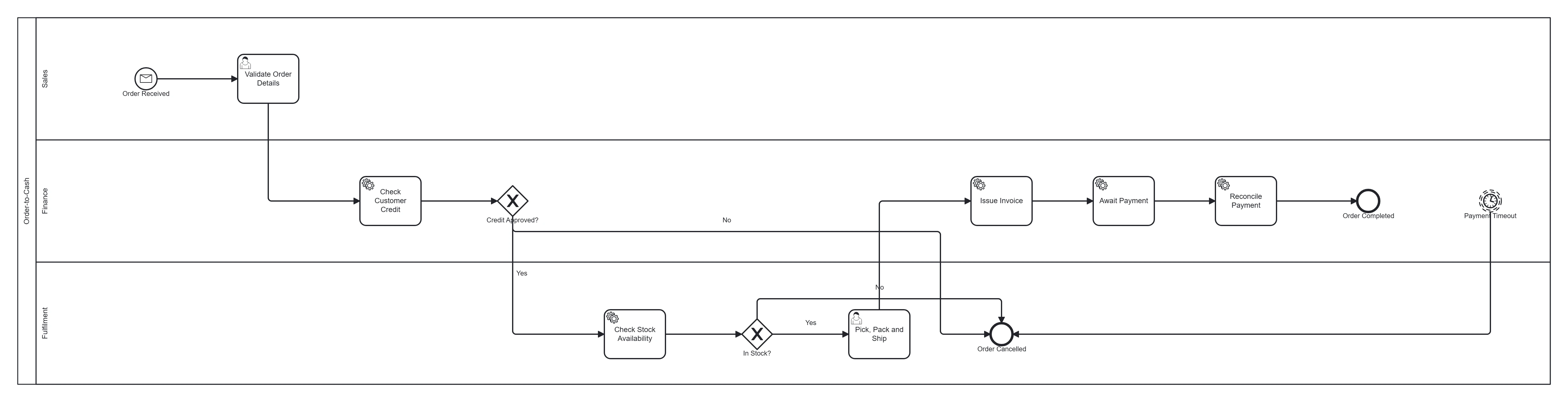
This is the description behind the diagram above:
An order arrives. The business validates it, checks the customer’s credit and stock availability, fulfils the order, issues an invoice, and reconciles payment. If credit fails or stock is unavailable, the order stops there. If payment doesn’t arrive within 30 days, the order is cancelled.
The diagram has a message start event for the incoming order, two exclusive gateways ("Credit approved?" and "In stock?"), an interrupting timer boundary event that cancels unpaid orders, and an end event for each outcome. BPMN Studio generated it from this description; we then checked it against the BPMN rules and corrected it by hand. The order-to-cash template lists every element and lets you download the .bpmn file.
What you get
Standard BPMN 2.0, not a drawing that looks like it. These are the rules the generator works to.
BPMN 2.0 elements it generates
- Start, end, intermediate and boundary events (message, timer, error, terminate)
- User, service, send, receive, manual, script and business-rule tasks
- Exclusive (XOR), parallel (AND) and inclusive (OR) gateways
- One pool with a lane per participant, including external parties
- Sequence flows with named conditions on every XOR and OR branch
Checked before the diagram is returned
- Exactly one start event and at least one end event
- No dead ends and no orphans: every node has an incoming and an outgoing flow, except the start and end events
- Every branch of every split gateway reaches an end event
- Every flow node is listed in exactly one lane
- Parallel splits are re-joined by a converging parallel gateway
- Boundary events are attached to their task, never targeted by a flow
- Every task has a specific type, never a bare task
| Plan | Generation model | Exports |
|---|---|---|
| Free | GPT-4.1-mini | SVG, PNG, PDF, BPMN 2.0 XML |
| Pro | GPT-4.1 | SVG, PNG, PDF, BPMN 2.0 XML |
| Max | GPT-4.1 | SVG, PNG, PDF, BPMN 2.0 XML |
The chat wizard runs on GPT-4o mini on every plan. Diagrams are laid out automatically, left to right, with one lane per participant.
BPMN diagram examples
Every template was generated by BPMN Studio, then checked and corrected by hand, and comes with a downloadable BPMN 2.0 file and notes on the modelling choices. See all 10 examples.
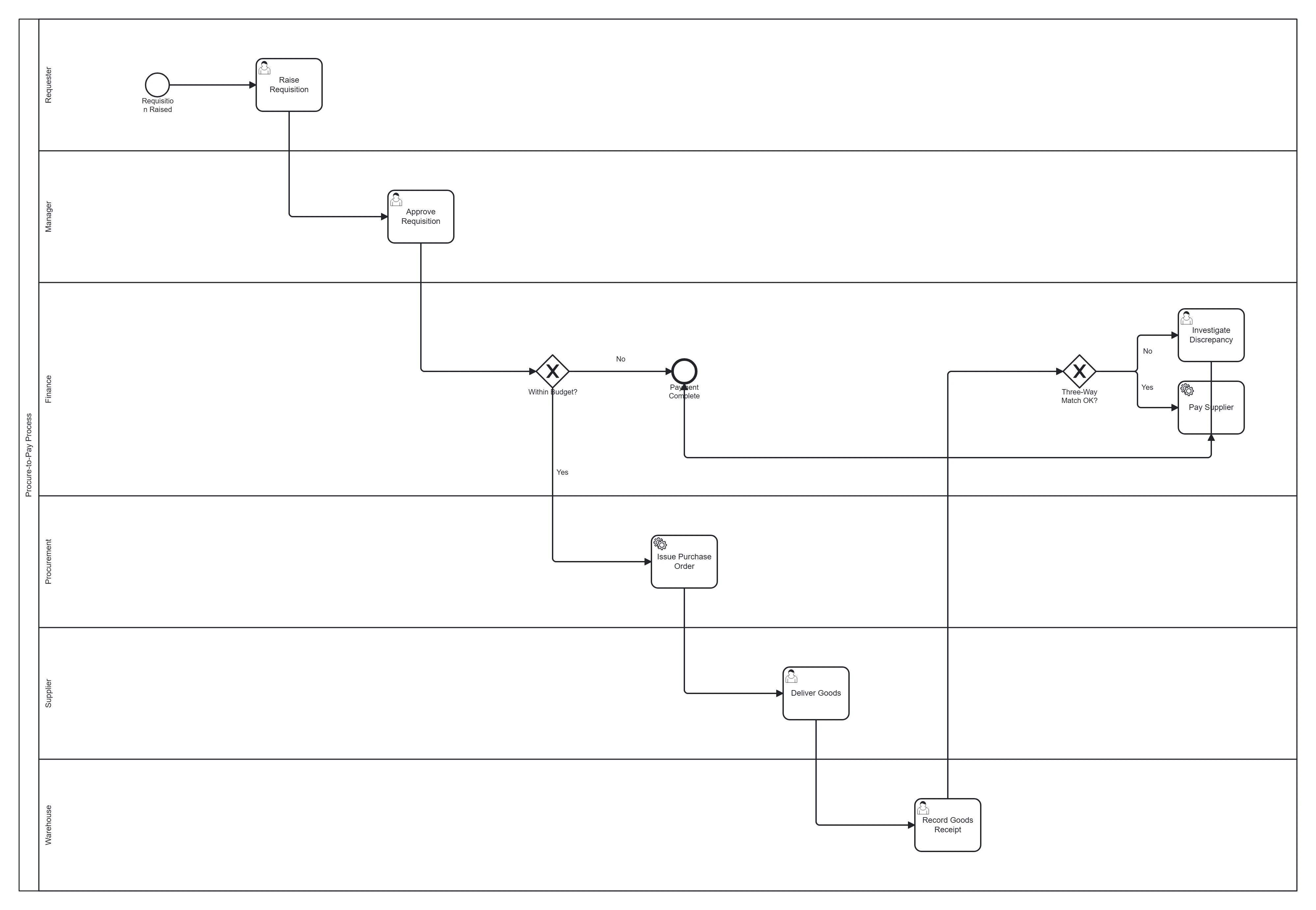 Procure-to-pay
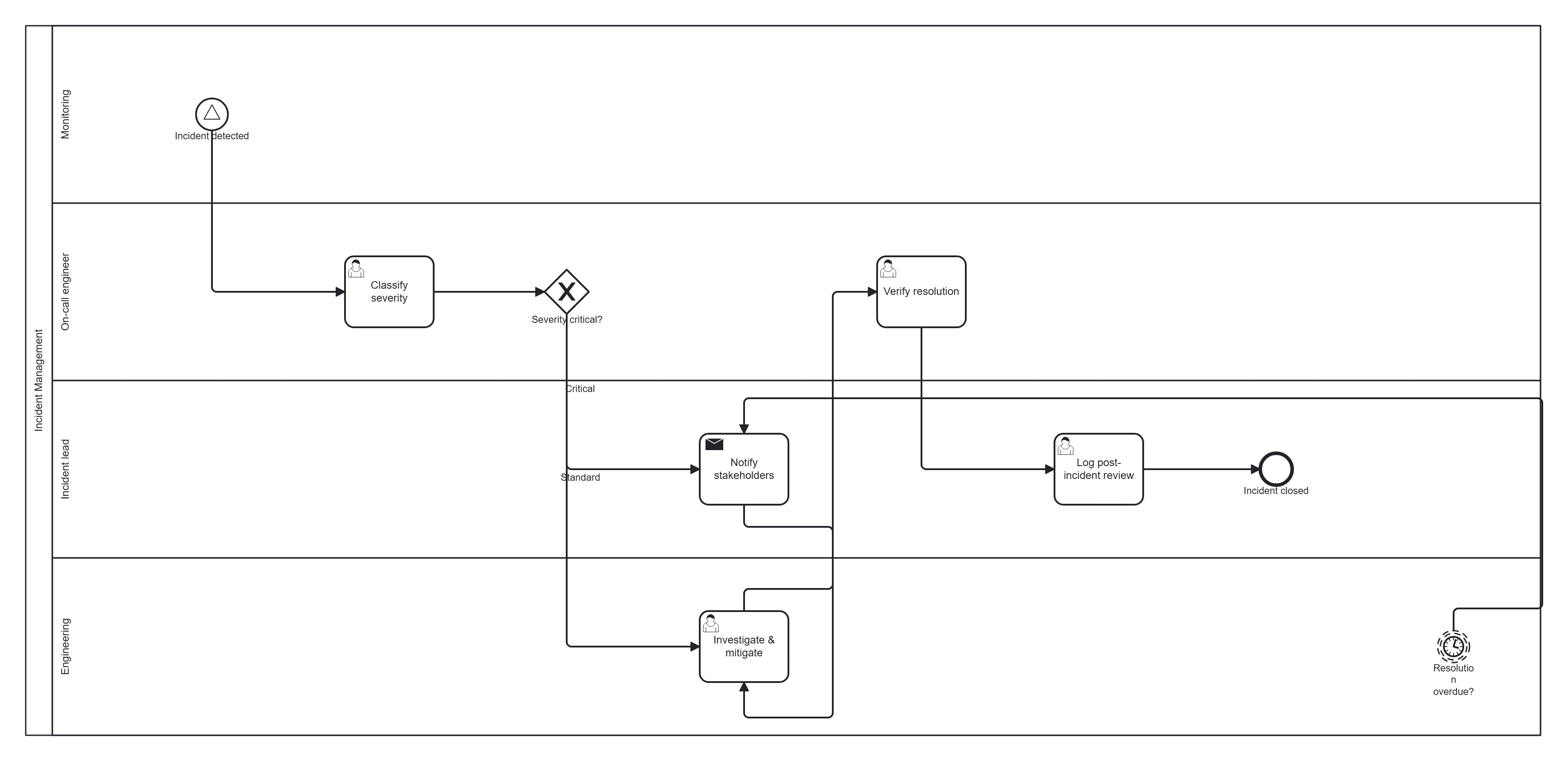 Incident management
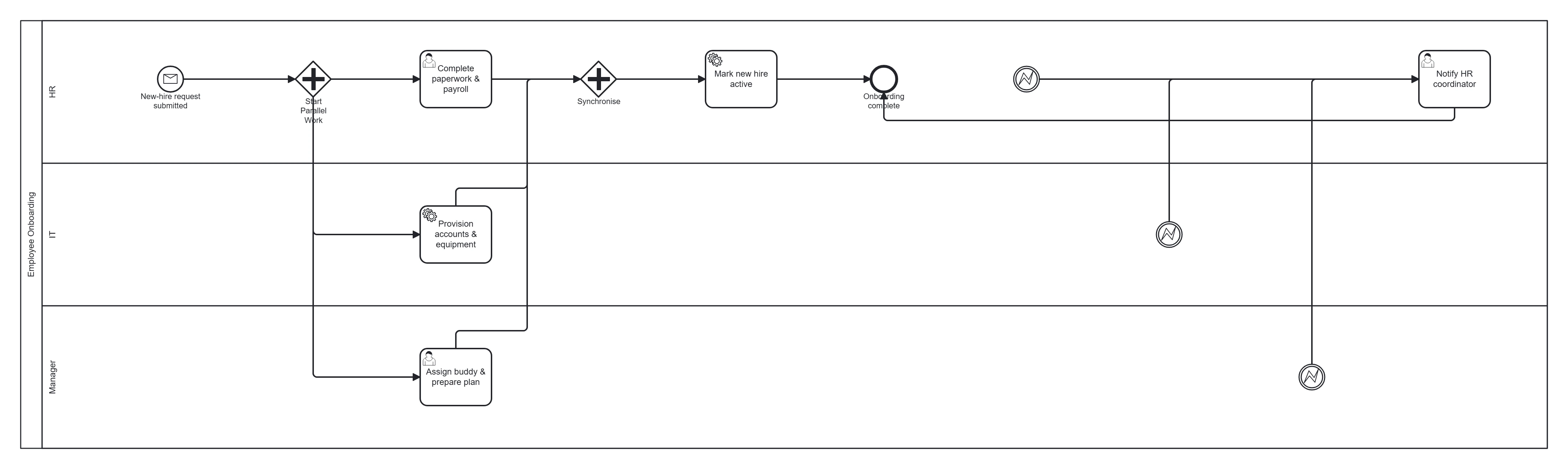 Employee onboarding
How it compares
The main BPMN tools people weigh against BPMN Studio. Each name links to a full comparison.
| Tool | AI generation from text | BPMN 2.0 XML | Platform | Price |
|---|---|---|---|---|
| BPMN Studio | Yes: chat wizard, then text to BPMN 2.0 | Free export on every plan; every diagram is BPMN 2.0 XML | Web app | Free tier; €11.99 and €19.99 / month |
| bpmn.io | No (manual modelling) | Yes, native | Web demo and open-source bpmn-js library | Free, open source |
| Camunda Modeler | Desktop: no. Web Modeler: BPMN Copilot (Camunda 8 SaaS) | Yes, native | Desktop app (Windows, macOS, Linux) and Web Modeler | Desktop free and open source; Web Modeler free for up to 5 users |
| Lucidchart | General AI diagramming, not BPMN-specific | Import and export .bpmn (BPMN 2.0 shape library only) | Web app, general diagramming suite | Free tier; paid suite plans |
Checked on October 3, 2026 against each vendor's own site and docs.
More: all BPMN tool alternatives and the best AI BPMN generators in 2026.
Pricing
Prices in EUR, billed monthly, cancel anytime. Full pricing and credit details.
- Free€0
Starts with 7 days of Pro, no card. Then 50 AI credits every 30 days (about 2-3 diagrams a month). Every export format (SVG, PNG, PDF, BPMN 2.0 XML) is free.
- Pro€11.99 / month
375 AI credits a week (about 20 diagrams), GPT-4.1 generation, full AI reviews, process documents, editors on shared projects and full version history.
- Max€19.99 / month
675 AI credits a week (about 40 diagrams) for heavy daily use, with everything in Pro.
Learn BPMN
Plain-English guides to the notation, written alongside the generator.
- What is BPMN?The standard in plain English
- BPMN symbols and shapesEvery symbol, with when to use it
- Gateways explainedXOR, AND and OR, with examples
- Events explainedStart, intermediate, end and boundary
- Pools and lanesWho does what, and when to use a pool
- How to create a BPMN diagramStep by step, by hand or with AI
Frequently asked questions
Do I need to know BPMN to use it?
No. You describe the process in plain English and the wizard asks follow-up questions; the AI handles the notation. The guides on this site explain each symbol if you want to learn it from your own diagrams.
Is the output valid BPMN 2.0?
The model must pass a 15-point checklist before it returns XML: one start event, no dead ends or orphan nodes, every gateway branch reaching an end, every node in exactly one lane, and typed tasks. Complex processes with many exception paths can still need one or two edits on the canvas.
Can I import the diagram into Camunda, Flowable or bpmn.io?
Yes. Every plan, Free included, exports BPMN 2.0 XML. The diagram is laid out with diagram interchange (DI) data, so it opens in Camunda Modeler, Flowable, Activiti and bpmn.io looking the way it did in BPMN Studio.
Which AI models does it use?
The wizard conversation runs on GPT-4o mini. Diagram generation uses GPT-4.1 on Pro, Max and the 7-day Pro trial, and GPT-4.1-mini on the free plan.
Is there a free plan?
Yes. Every new account starts with 7 days of Pro, free and with no credit card. After that it moves to Free on its own: 50 AI credits every 30 days, about 2-3 diagrams a month. Editing on the canvas never uses credits, and exporting SVG, PNG, PDF and BPMN 2.0 XML is free on every plan.
Who can see my process descriptions?
Only you and the people you share a project with. Diagrams are stored in a Supabase Postgres database with row-level security, and generation goes through the OpenAI API, which does not train on API data.
BPMN Studio (bpmnstudio.com) is built by Emilis Mikalajūnas, a Vilnius University business student, with BPMN validation by mentor Lina Druskienė, CITP. It started as a 2026 university capstone on whether AI can cut the effort of business process modelling, and was covered in The Enterprise World's 2026 cover story on Lina. The full story of how BPMN Studio was built. Last updated October 27, 2026.